SGD Settings
class SoftKitty.SGD_Settings : ScriptableObject
This is the core data object of the system, handling system-wide configuration settings.
You can create this object via the context menu in any Project folder:
Create → SoftKitty → Data Objects → General Settings Data
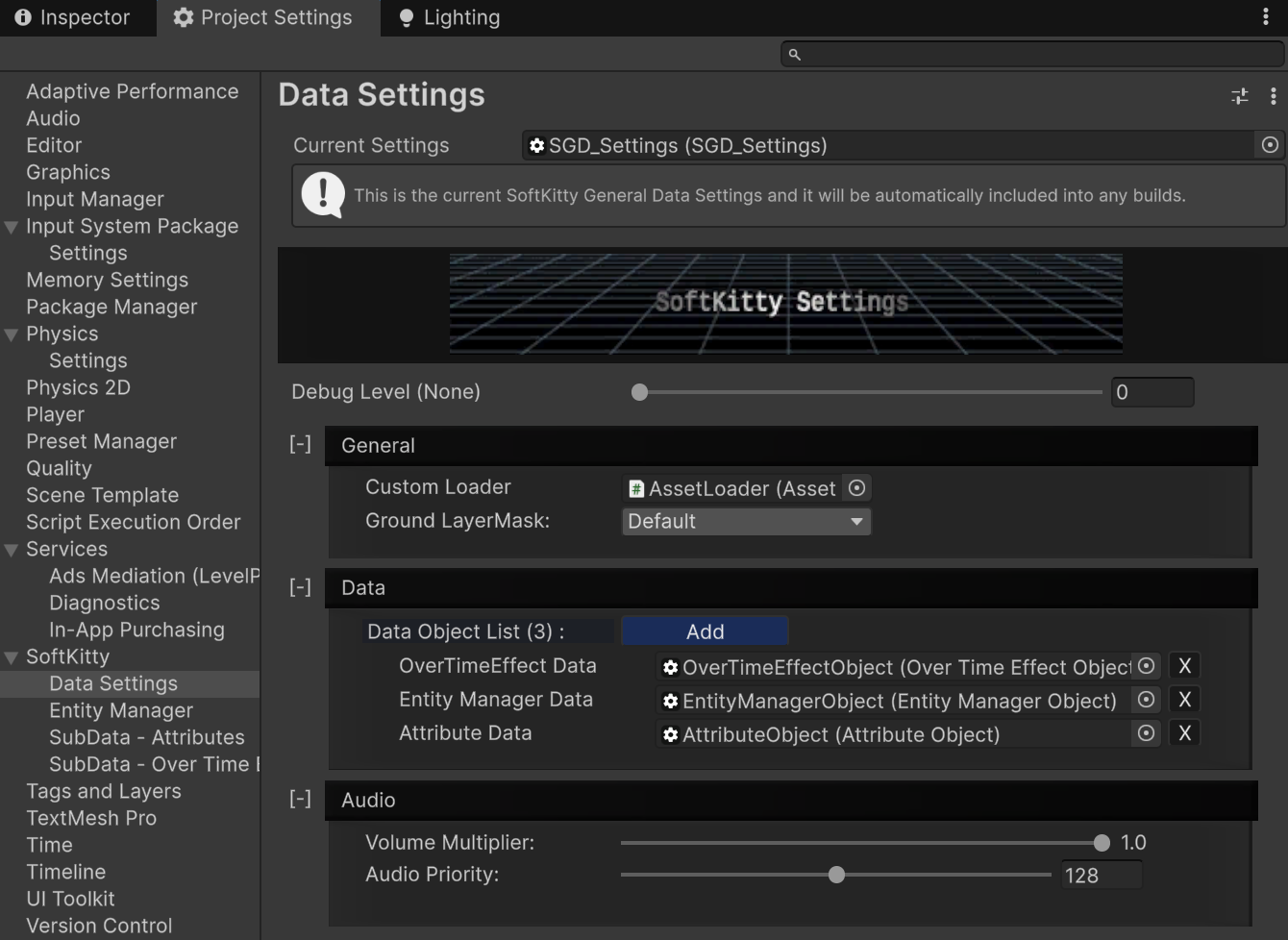
You can access the settings interface in:
Project Settings → SoftKitty
Properties
public static SGD_Settings Instance
readonly
Returns the singleton instance assigned in ProjectSettings > SoftKitty > Data Settings. Access this to get global system setting.
public static bool isRuntime
readonly
Returns whether the system is currently in runtime mode (true or false). Useful for checking if the game is running or if you’re in the editor.
public LayerMask GroundLayer
The ground LayerMask in the General Settings, GroundLayer is used to identify ground, walls, roofs, and terrain in the project.
Example:
LayerMask _mask = SGD_Settings.Instance.GroundLayer; //Get
SGD_Settings.Instance.GroundLayer = mMask; //Set
public AssetLoader CustomLoader
The custom AssetLoader in the General Settings, custom AssetLoader is used to load resources from Asset Bundles or Unity Addressables..
Example:
AssetLoader _loader = SGD_Settings.Instance.CustomLoader; //Get
SGD_Settings.Instance.CustomLoader = mLoader; //Set
public float VolumeMultiplier
The global volume multiplier for sounds played by SoftKitty packages.(0F~1F)
Example:
float _volumeMultiplier = SGD_Settings.Instance.VolumeMultiplier; //Get
SGD_Settings.Instance.VolumeMultiplier = 0.5F; //Set
public int AudioPriority
The audio priority for sounds played by SoftKitty packages. Lower values indicate higher priority.(0~256)
Example:
int _audioPriority = SGD_Settings.Instance.AudioPriority; //Get
SGD_Settings.Instance.AudioPriority = 100; //Set
Methods
public T GetData<T>() where T : DataObject
Retrieves DataObject like EntityManagerObject, AttributeObject, and OverTimeEffectObject. These objects are defined in :
ProjectSettings > SoftKitty > Data Settings > Data

Example:
EntityManagerObject _entityManager = SGD_Settings.Instance.GetData<EntityManagerObject>();
AttributeObject _attributeSetting = SGD_Settings.Instance.GetData<AttributeObject>();
OverTimeEffectObject _overTimeEffectSetting = SGD_Settings.Instance.GetData<OverTimeEffectObject>();
public void RefreshDatabase()
Refresh the sub-data objects like EntityManager, Attributes, and OverTimeEffects. This is required if you manually assigned them via script to the database.