Overview
Master Map|Navigation System
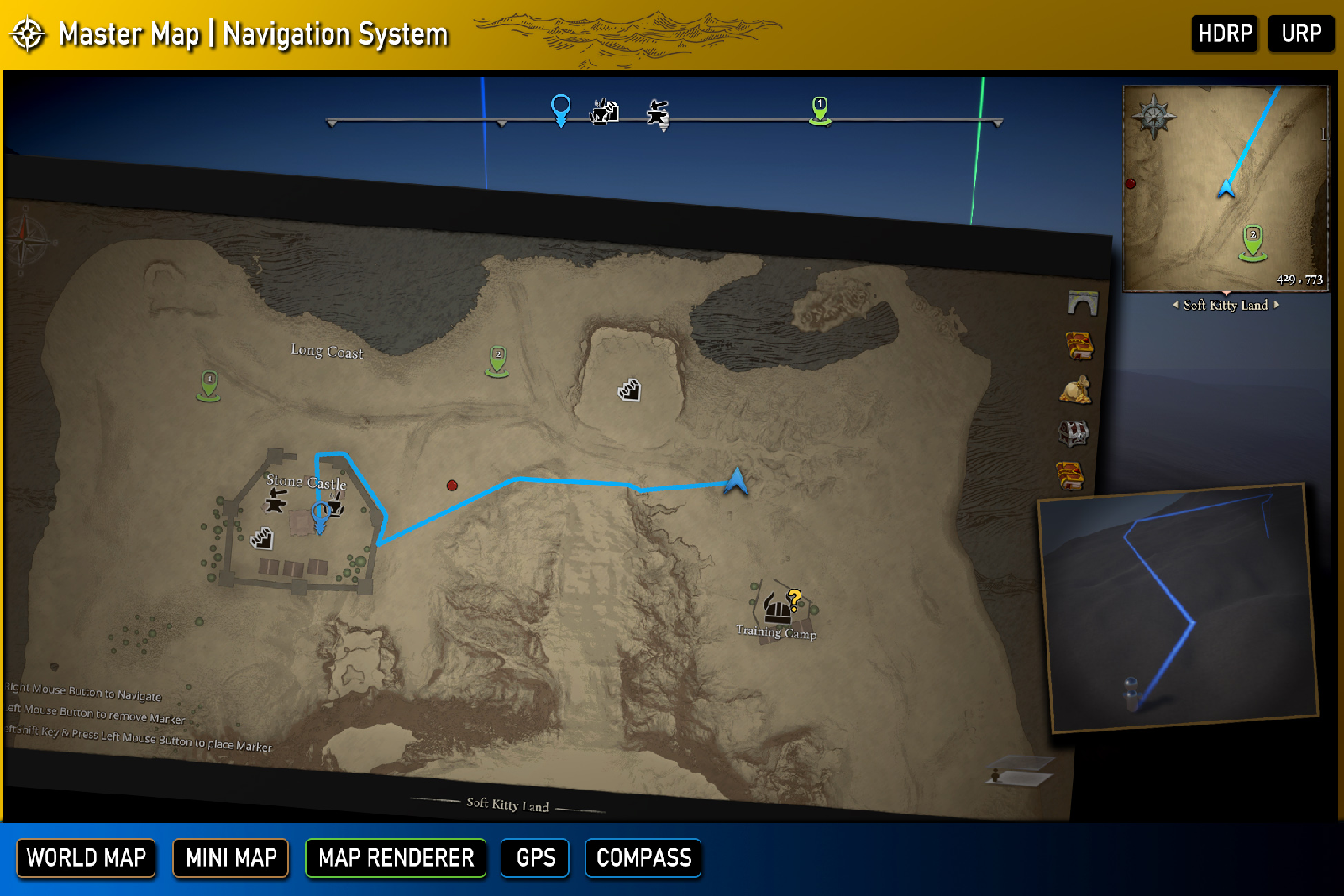
Master Map Navigation System is a comprehensive and performance-optimized solution for integrating dynamic maps, mini-maps, and map navigation systems into your Unity project. Designed to support complex environments like multi-level buildings, interiors, and perfect for RPG games, this package is easy to set up and flexible for developers.
This package is ideal for both scene-based games with pre-designed levels and dynamic worlds. For pre-designed levels up to 4000x4000 meters per scene, use the Static Map Mode to render stylized 2D maps. For procedurally generated worlds or seamless, massive open-world environments, switch to the Dynamic Map Mode with real-time render textures and customizable stylized shaders.
The Master Map Navigation System provides the following modules for your game:
-
Map Generator: A powerful and easy-to-use tool that renders your 3D game scene into a stylized map texture. The map generator supports multi-level environments, such as tall buildings, and accommodates interiors with roofs seamlessly.
-
Mini Map: To ensure the best performance, the Mini Map module avoids using render textures like most other packages. Instead, it converts 3D coordinates into a local 2D space to display units in the 3D world.
- The map uses the texture generated by the Map Generator as its background.
- Any object with the MapPoint component will appear as a customizable icon on the map.
- The MapPoint component also allows you to set the icon, display name, and sub-states (e.g., quest progress).
-
World Map: Similar to the Mini Map but with more interactive features:
- Move and pan the map freely.
- Toggle the visibility of map icons based on their categories.
- Place markers to highlight specific locations or points of interest.
-
Navigation Path: When a player right-clicks (configurable in settings) on the map, the system generates a navigation path:
- A dynamic path line appears between the player and the target position or map icon.
- The path is visible on both the map and in the 3D world, dynamically updating as the player or target moves.
-
Navigation Bar: A horizontal bar at the top of the screen that helps players quickly find the direction of map icons:
- Nearby map icons and player markers are displayed on the navigation bar.
- When the player faces the direction of a map icon, it will appear centered on the navigation bar, providing intuitive directional guidance.