Accessories Models
Head Accessories can include beards, horns, and hairstyles. To create a new customization item, you will need basic skills in 3D modeling software and a good understanding of 3D model rigging.
-
Open the
MaleNude.maxorFemaleNude.maxfile located in theSoftKitty/MasterCharacterCreator/ArtSource/3dsMaxfolder. Import your new model into3ds Maxand apply skinning using the biped bones from the file. Please ensure that you only add the necessary bones to the bone list in the Skin Modifier.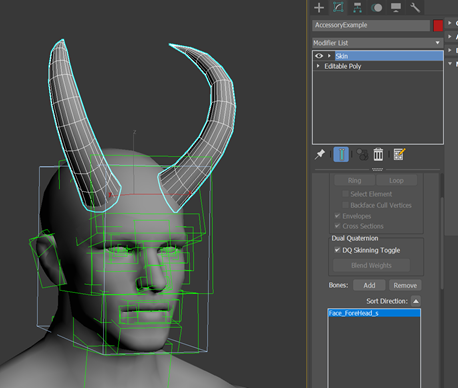
-
After completing the skinning, export the mesh along with the entire rig to an
FBXfile in your project folder. In the export panel, ensure that the Animation category and the following settings are checked.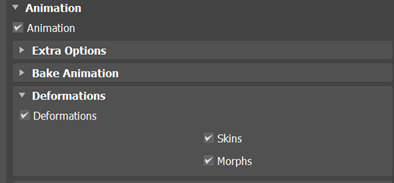
-
Create a new material for your model, then change the shader to
SoftKitty/CharacterSkin. Import your textures and configure the material settings accordingly.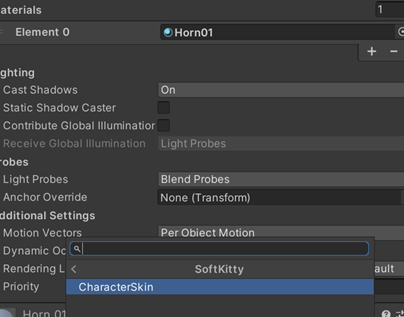
-
Drag the
FBXfile into the Hierarchy, assign the material to theSkinned Mesh Renderer, and set the root GameObject’s tag toSkinned. Then, drag the GameObject back to the Project Panel to create a prefab.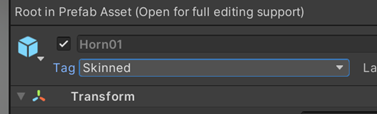
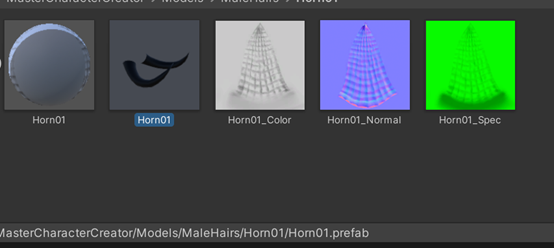
-
Create a thumbnail for the new item using the
Icon_template.psdfile.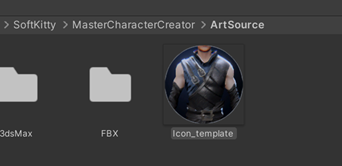
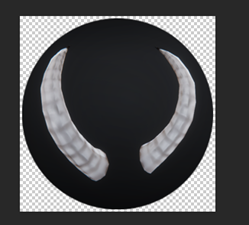
-
Navigate to
Project/SoftKitty/SubData - Character Customization, expand theAdd new body customizationssection in the Inspector, and assign both the prefab and the thumbnail texture to their respective slots. Set the Type toHairif the item belongs in the Hair category of the character creator interface, or set it toBeardfor the Beard category. Ensure the correctGenderof the character is selected, then click theAddbutton to proceed.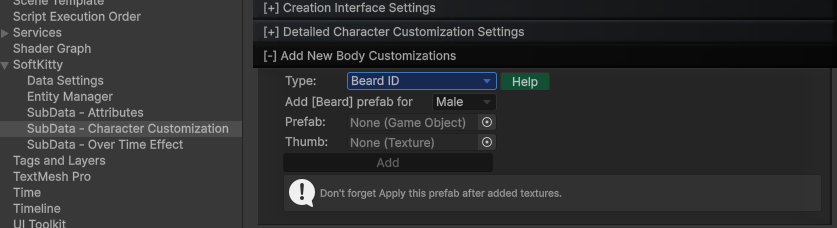
This system also support Accessory with
SkinnedMeshRenderer: AddSkinnedtag to the prefab GameObject.
Make sure the root bone of this Accessory has same name as one of the character bones, for example
Bip001 Spine2.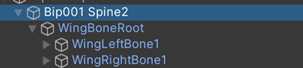
If you want to add an independent
Animationcomponent to this Accessory, put it on the first child transform under the root bone, in this example, it will beWingBoneRootunderBip001 Spine2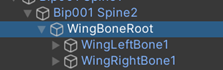
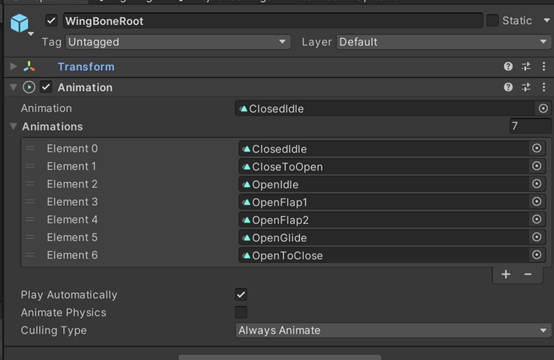
With this setup, the Accessory will be load on the character while keeping its own
Animationcomponent.
- It's done! Your new item should now appear in the character creator. Don't forget to repeat the same process for the other gender's character model if you want this item to be available for both male and female characters.