Modding Support
The Master Inventory Engine is designed to facilitate modding from your community, allowing for flexible data management. The following data types within the ItemObject can be imported or exported using JSON format, both in the Editor and at runtime:
ITEM DATA
Editor: Navigate to the Project Settings/SoftKitty/SubData - Items, then locate the Item Settings section. Click on Import From JSON or Export To JSON.
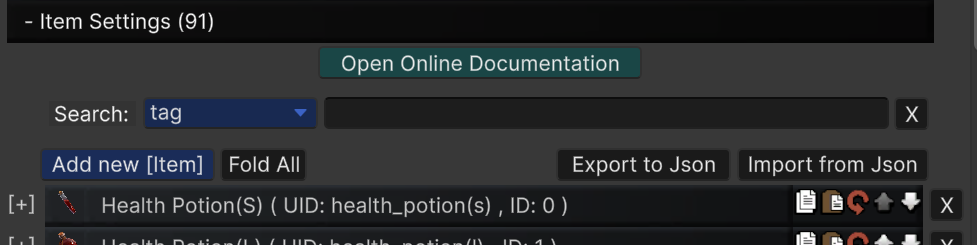
Runtime:
- Import: To import Item data from a mod directory, call:
ItemObject.instance.ImportItemDataFromJson(string _absolutePath);
- Export: To export modified item data (e.g., from your modding tool), call:
ItemObject.instance.ExportItemDataToJson(string _absolutePath);
- Note: The path provided for both import and export operations must be an absolute path.
ENCHANTMENT DATA
Editor: Navigate to the Project Settings/SoftKitty/SubData - Items, then locate the Enchantment Settings section. Click on Import From JSON or Export To JSON.
Runtime:
- Import: To import Enchantment data from a mod directory, call:
ItemObject.instance.ImportEnchantmentDataFromJson(string _absolutePath);
- Export: To export modified enchantment data (e.g., from your modding tool), call:
ItemObject.instance.ExportEnchantmentDataToJson(string _absolutePath);
- Note: The path provided for both import and export operations must be an absolute path.