General Settings
Map Icon Categories:
Add or remove categories for Map Points here.
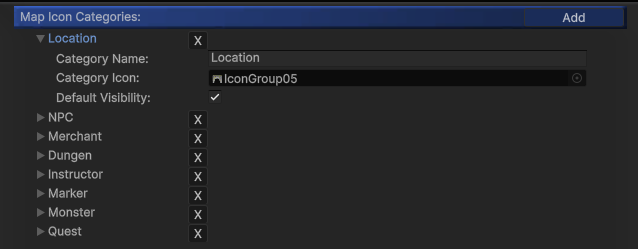
In the MapPoint inspector, you can assign each point to a specific category.

Player’s Icon:
Set the texture for the player’s map icon. Ensure the texture is transparent and has MipMaps disabled.
Custom Markers
Custom Marker system is for players to be able to place different map icons on the map to mark the location they’re interested. Enable this feature will allow you to setup a list of custom markers for player to select from.
On the bottom right of the WorldMap UI, there is a yellow button to toggle the custom marker list:

After player select one of the icon in the list, a hint message will show up to indicate which buttons to press for confirm or cancel:

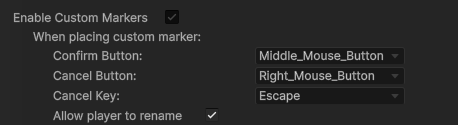
The buttons can be modified below the Enable Custom Markers settings:
Players will also be able to rename the markers they placed by clicking the marker:
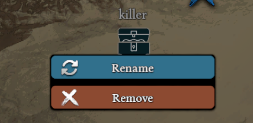
This feature can be enabled by toggle Allow player to rename.
To save/load custom markers players placed, please use the following API:
- Save:
string _json = MapManeger.ExportCustomMarkerJsonData(); - Load:
MapManeger.ImportCustomMarkerJsonData(string _json)
Example Code:
void LoadCustomMarker()
{
    if (File.Exists("E:/MarkerText.txt")){
       string _json = File.ReadAllText("E:/MarkerText.txt", System.Text.Encoding.UTF8);
       MapManeger.ImportCustomMarkerJsonData(_json);
    }
}

void SaveCustomMarker(){
    string _json = MapManeger.ExportCustomMarkerJsonData();
    File.WriteAllText("E:/MarkerText.txt", _json, System.Text.Encoding.UTF8);
}