Installation
HDRP render pipeline
- Import the package.
URP render pipeline
- Import the package.
- Copy
Assets/SoftKitty/MapNavigationSystem/URP/URP.unitypackageto some where outside your project. - Remove everything in
MapNavigationSystemfolder from your URP project because they're for HDRP only - Import the
URP.unitypackageyou just copied. (Read the below sections if you have other SoftKitty packages in project)
With other SoftKitty packages in project:
-
Import the package, uncheck
Assets/SoftKitty/Data/SGD_Settings.assetwhen importing. -
Goto
Project Settings > SoftKitty > Map Navigation, click on theAssignbutton.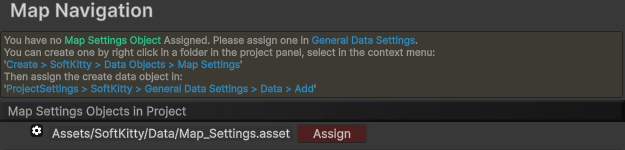
Demo:
- The demo scene can be found at :
Assets/SoftKitty/MapNavigationSystem/Demo/Scenes/DemoScene.unity