Assign Health Bar
Assigning Health Bars to Characters
Use this page to attach overhead bars to world-space characters (enemy, player, NPC).
1) Configure Presets First
Before assigning a runtime component, prepare your presets in:
- BarSettings (visual and value behavior)
- OverheadSettings (layout, distance scale, avatar/info text, OTE position)
Each overhead preset is identified by Overhead UID.
2) Add Runtime Components
On the character prefab root object:
-
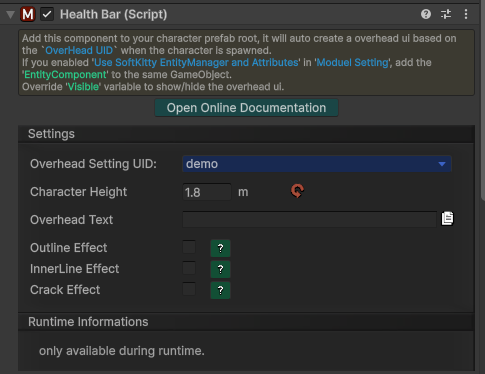
add HealthBar
-
(optional / integration mode) add EntityComponent
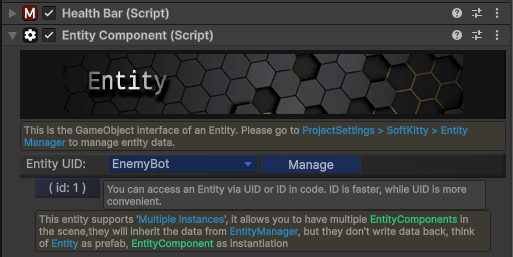
If you are using the EntityManager-linked workflow, EntityComponent is required.
3) Select Overhead UID
In HealthBar, set Overhead UID to one of your configured overhead presets.
This decides:
- which main/sub bars are used
- size and offsets
- avatar/info text/OTE layout
4) Runtime Data Source
Entity-linked mode
- enable integration toggles in settings
- values come from entity attributes automatically
Standalone mode
- disable integration toggles
- update values manually via HealthBar API (
SetValue)
Common Issues
- Bar does not appear: invalid
Overhead UIDor missing HealthBarCanvas in scene. - No value updates: attribute UID mismatch, or manual
SetValuenot being called. - OTE icons missing: OTE integration disabled, or
Show Over-time Effectturned off in preset.