Overhead Settings
Overhead Settings
Overhead Settings defines full UI compositions displayed above characters.
An overhead entry combines bars, text, OTE icons, avatar, and distance scaling in one reusable preset.
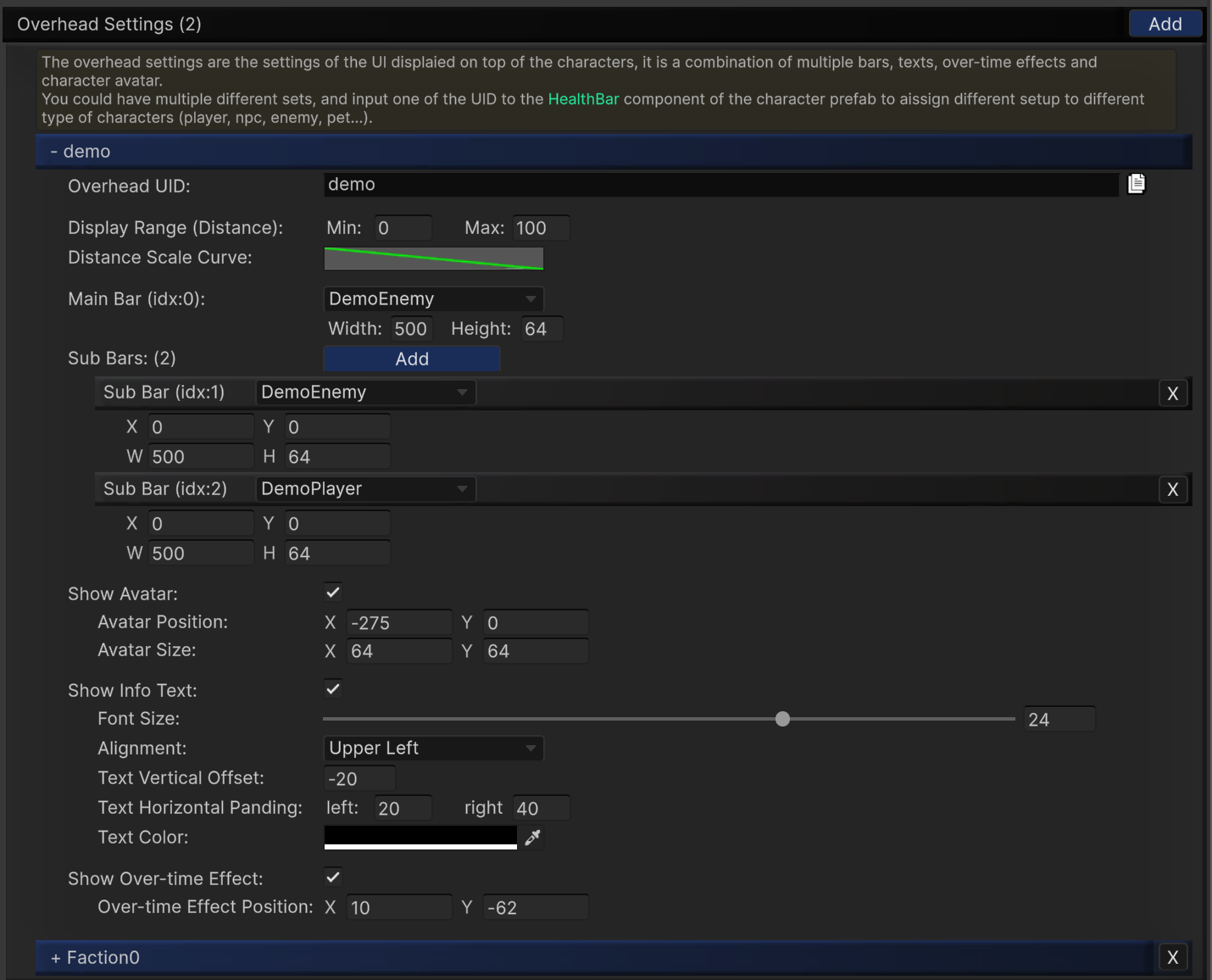
Core Fields
Overhead UIDDisplay Range (Distance)(Min,Max)Distance Scale CurveMain BarSub Bars(multiple)
Each sub bar has independent X/Y position and W/H size controls.
Optional Blocks
Avatar
Show AvatarAvatar PositionAvatar Size
Info Text
Show Info Text- font size, alignment, padding, vertical offset, text color
Over-time Effect
Show Over-time Effect- To display the effect icons, enable this checkbox and make sure
Use SoftKitty Over Time Effectis enabled in settings (Entity-linked mode). Also toggle 'Show Over-time Effect' in the related bar settings so the icons can render correctly on both bar and overhead layers.
- To display the effect icons, enable this checkbox and make sure
Over-time Effect Position
Usage Pattern
- Create one or more overhead presets.
- Assign
Overhead UIDin the runtime HealthBar component. - Reuse the same preset for all characters of the same archetype.
Design Tips
- Use narrow distance ranges for dense scenes to reduce clutter.
- Keep player and enemy presets visually distinct.
- Reserve sub bars for secondary resources (shield, stamina, mana).