Bar Settings
Bar Settings
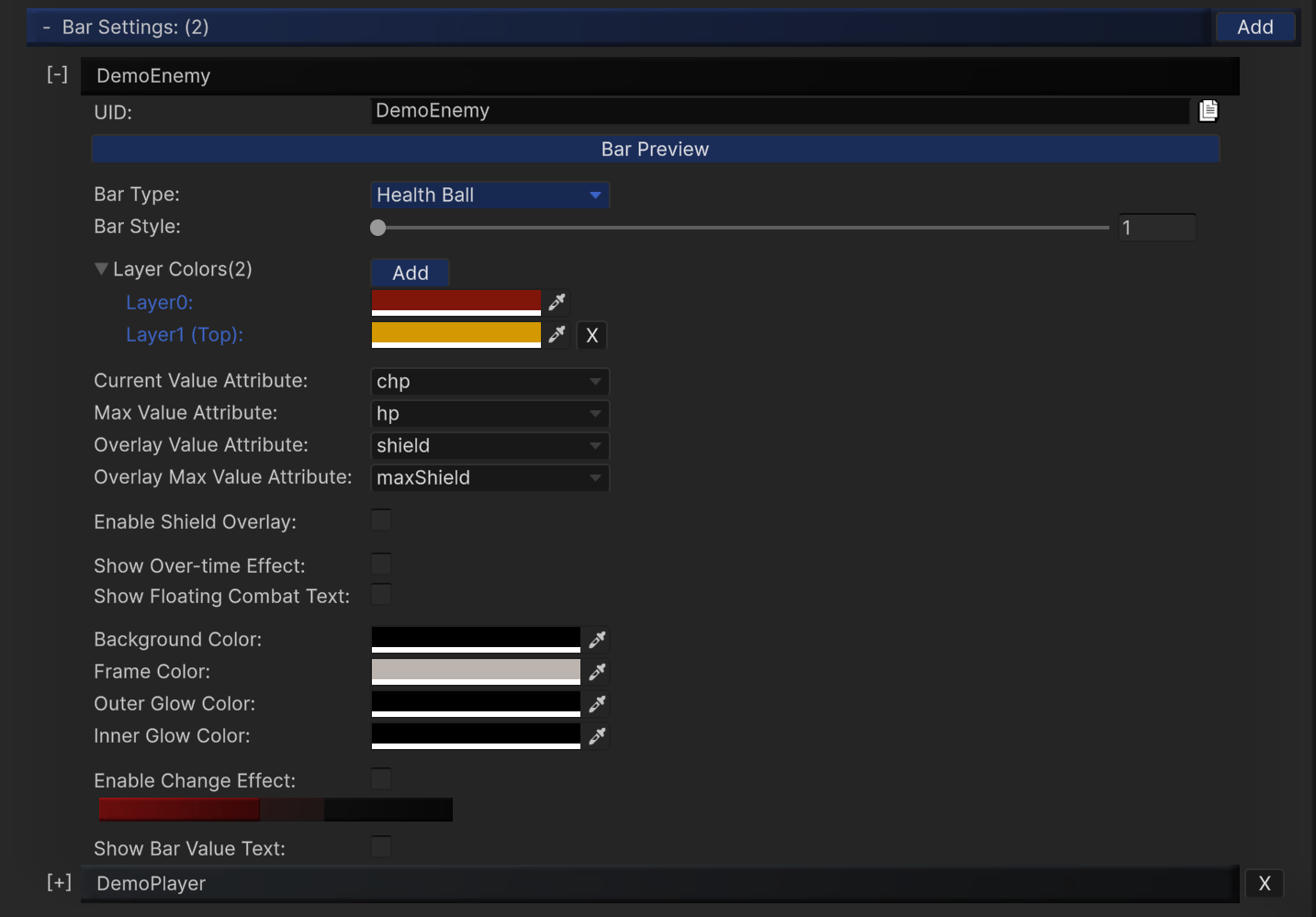
Bar Settings defines how each bar looks, where values come from, and which optional effects are enabled.
Each entry is identified by a UID and can be reused by overhead/static bars.
Bar Types
Health ClassicalHealth BallHealth Segment
Use the type dropdown to choose the rendering style, then tune style-specific options.
Attribute Binding Fields
When using EntityManager integration, map these fields to your attribute UIDs:
Current Value Attribute- Tooltip: Attribute used as the current value of this bar (such as hp, stamina, mana).
Max Value Attribute- Tooltip: Attribute used as the maximum value of this bar (such as hp, stamina, mana).
Overlay Value Attribute- Tooltip: Attribute used for the overlay bar (such as shield or secondary resource).
Overlay Max Value Attribute- Tooltip: Attribute used for the maximum value of the overlay bar (such as shield or secondary resource).
Max Value AttributeOverlay Value AttributeOverlay Max Value Attribute
Overlay is typically used for shields or an extra value layer above the primary bar.
Common Visual Controls
Layer ColorsBackground ColorFrame ColorOuter Glow ColorInner Glow ColorEnable Shield Overlay+Shield ColorEnable Change Effect,Decrease Color,Increase Color
Runtime Toggles
-
Show Over-time Effect- To display the effect icons, please toggle 'Show Over-time Effect' checkbox in the bar settings and overhead settings (and enable
Use SoftKitty Over Time Effectin the module settings for Entity-linked mode).
- To display the effect icons, please toggle 'Show Over-time Effect' checkbox in the bar settings and overhead settings (and enable
-
Show Floating Combat Text- Enables the floating combat number feedback on this bar when combat events generate popping text.
Text and Value Display
Show Bar Value Text- Text size/width/height (depending on style)
Text ColorText FontText AlignmentValue Format
Value Format supports placeholder patterns such as c|m (current|max).
Style-Specific Notes
Segment Bar
Additional controls include:
Per Segment HealthMax SegmentsSegment WidthSegment HeightSegment Spacing- optional back bar style/color
Ball / Classical
Focus on color layers, glow response, value text readability, and change-effect tuning.
Best Practices
- Keep UID names stable (
Enemy_Default,Player_Main, etc.). - Standardize attribute naming across your project (
hp,maxHp,shield,maxShield). - Validate readability at gameplay camera distance, not only in settings preview.